
Quick Takeaways
- Core Web Vitals are three Google measurements of real visitors’ experience: how fast the main content loads (LCP), how quickly the page responds to taps and clicks (INP), and how much the layout jumps around (CLS).
- Good scores: LCP under 2.5 seconds, INP under 200 milliseconds, CLS under 0.1. To pass, 75% of visits need to hit all three.
- On most small business sites, the biggest wins are compressing the main image, turning on page caching, and removing or delaying third-party scripts like chat widgets.
- Core Web Vitals do affect rankings, but less than relevance and content quality. Their bigger effect is on whether visitors stay long enough to call.
- Check your scores for free in Google PageSpeed Insights and the Core Web Vitals report in Search Console.
To improve your Core Web Vitals, make your main content load faster, cut down the scripts that slow the page’s response to taps, and stop the layout from shifting while it loads. On most small business websites, that comes down to a handful of fixes: compress and correctly size your images, turn on page caching, remove or delay third-party scripts, and give images and embeds a fixed size.
Below is what each Core Web Vital measures, what a good score is, how to check yours, and the specific fixes for each one, in plain English.
What Are Core Web Vitals?
Core Web Vitals are three measurements Google uses to judge how a page feels to real visitors. Google collects them from Chrome users who visit your site, so they reflect what your customers actually experience on their own phones and connections, not just a lab test.
| Metric | What it measures | Good | Needs improvement | Poor |
|---|---|---|---|---|
| LCP (Largest Contentful Paint) | How long until the main content, usually the top image or headline, appears | Under 2.5 s | 2.5–4 s | Over 4 s |
| INP (Interaction to Next Paint) | How quickly the page responds when someone taps, clicks, or types | Under 200 ms | 200–500 ms | Over 500 ms |
| CLS (Cumulative Layout Shift) | How much things jump around while the page loads | Under 0.1 | 0.1–0.25 | Over 0.25 |
INP replaced an older measurement called First Input Delay (FID) in March 2024, so older guides that mention FID are out of date.
How to Check Your Core Web Vitals
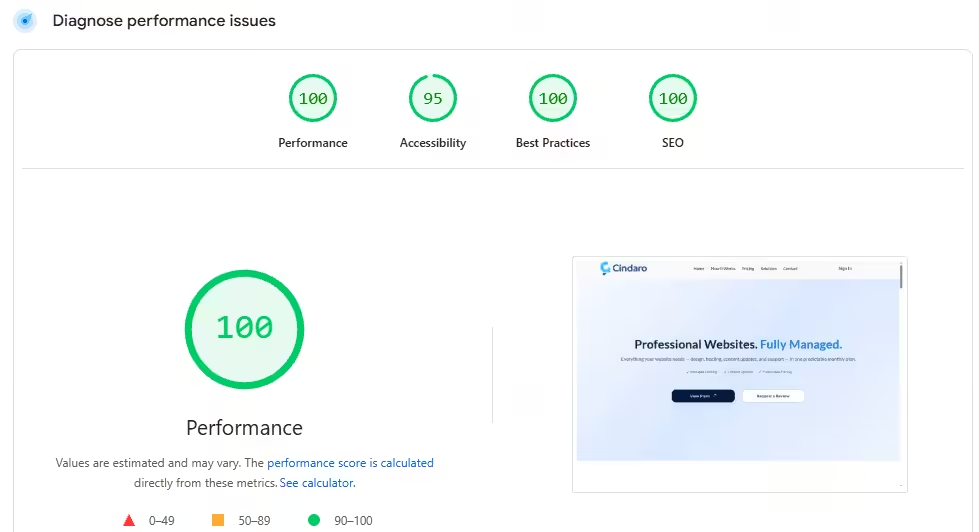
- Google PageSpeed Insights. Enter any page. The top section, “Discover what your real users are experiencing”, shows your Core Web Vitals from real visitors. The 0–100 performance score further down is a lab test, which is useful for finding problems but isn’t what Google uses for Core Web Vitals.
- Google Search Console. The Core Web Vitals report groups your pages into Good, Needs improvement, and Poor for mobile and desktop separately.
Two things to know. First, real-visitor data covers the last 28 days, so improvements take up to four weeks to show up fully. Second, small sites often don’t have enough Chrome visitors for Google to report real data. In that case PageSpeed Insights shows “No data”, and the lab test is the best guide you have.
What Does “Core Web Vitals Assessment Failed” Mean?
It means at least one of the three measurements isn’t in the “Good” range for 75% of your visits. Google judges each metric at the 75th percentile: if one visit in four has a slow LCP, the page fails, even if most visits are fast. PageSpeed Insights highlights the failing metric in red or orange, so start there. Mobile fails far more often than desktop, and mobile is the version Google mainly uses for ranking.
How to Improve LCP (Loading Speed)
LCP is the most common failure on small business sites. The main content is usually a large hero image or banner at the top of the page.
- Compress and resize the main image. A 4,000-pixel photo straight from a camera is often several megabytes. Resize it to the size it’s displayed at and convert it to WebP or AVIF.
- Don’t lazy-load the top image. Lazy loading is good for images further down the page but delays the one visitors see first.
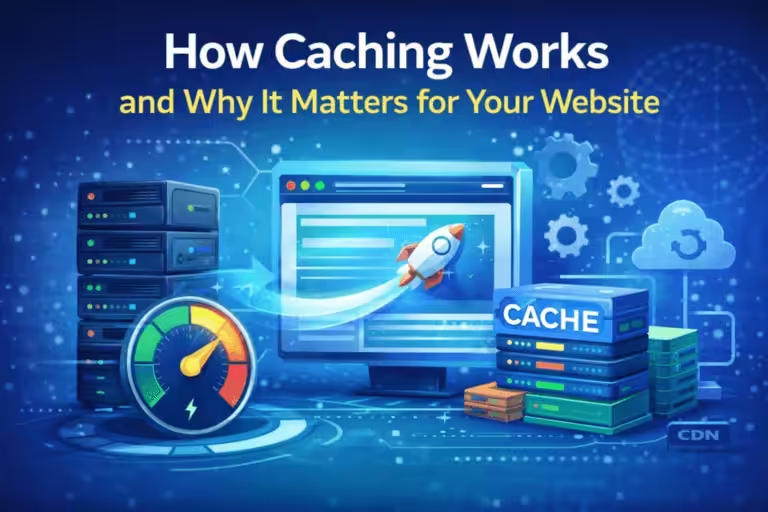
- Turn on page caching. Caching serves a ready-made copy of the page instead of building it from scratch on every visit.
- Use better hosting or a CDN. If your server takes more than about half a second to respond, everything else waits for it.
- Reduce render-blocking files. Large CSS and JavaScript files at the top of the page delay everything below them. Most caching or optimization plugins can minify and defer them.
How to Improve INP (Responsiveness)
Poor INP usually comes from too much JavaScript running in the browser, so the page can’t respond when someone taps.
- Remove plugins and scripts you don’t use. Old sliders, pop-ups, and tracking codes add up.
- Delay third-party scripts. Chat widgets, review widgets, booking embeds, and ad trackers are the usual culprits. Load them after the page is ready or when someone scrolls or taps.
- Use a lighter theme or page builder. Some multipurpose themes load large amounts of code on every page.
- Keep forms simple. Heavy form plugins with many conditional fields can make typing feel sluggish on phones.
How to Improve CLS (Layout Stability)
CLS is what happens when you go to tap a button and the page shifts, so you tap something else. It’s usually the easiest of the three to fix.
- Give images and videos a width and height so the browser reserves space before they load. Most modern themes and WordPress do this automatically, but older content and custom code often don’t.
- Reserve space for embeds and banners, such as maps, review widgets, and announcement bars that appear after the page loads.
- Show cookie notices as an overlay instead of pushing the page content down.
- Load fonts properly. Custom fonts that swap in late can change text size and push content around. Preloading the main font helps.
Improving Core Web Vitals on WordPress
Most small business sites run on WordPress, where the same few changes fix most problems: a caching plugin (or host-level caching), an image optimization plugin that converts to WebP or AVIF, removing unused plugins, and delaying third-party scripts until a visitor interacts with the page. Make one change at a time with a backup in place and retest after each. For more WordPress-specific causes, see why your website is loading slow.
Do Core Web Vitals Affect SEO?
Yes, but modestly. Core Web Vitals are part of Google’s page experience signals, which it uses in ranking. Google has said, though, that a relevant, helpful page with average Core Web Vitals can still outrank a fast page that doesn’t answer the search as well. Think of them as a tiebreaker between pages that are otherwise similar.
The bigger effect is on visitors. A page that takes five seconds to show anything, or jumps around as someone tries to tap “Call”, loses customers whether or not it ranks. A slow website loses customers long before it loses rankings.
Why It Matters for Local Service Businesses
The fundamentals above apply to every website, but what’s at stake looks different depending on the business.
Law firms
For a law firm’s website, speed is tied to trust before a single word is read. Prospective clients are often anxious and comparing several firms at once. Law firm sites also tend to collect heavy embeds, such as intake forms, chat widgets, review scripts, and video testimonials, each a common cause of poor INP and CLS.
Plumbers
Plumbing searches are often emergencies made from a phone, with the visitor deciding in seconds who to call. A page that’s slow to load or respond loses that call to a faster competitor.
In our 2026 study of 502 plumbing, HVAC and roofing websites, only 3% met Google’s 2.5-second LCP standard on mobile. The median took 8.3 seconds.
Dentists
Dental patients usually compare two or three practices on their phone before booking. A booking widget that doesn’t respond right away is exactly where poor INP costs an appointment.
The same applies to electricians, HVAC companies, contractors, roofers, landscapers, auto repair shops, cleaning services, and pest control businesses: most of their customers search on a phone and pick whichever site works first. See why mobile website speed matters for more.
Frequently Asked Questions
What is a good LCP score?
Under 2.5 seconds for at least 75% of visits. Between 2.5 and 4 seconds needs improvement, and over 4 seconds is poor.
How long does it take for Core Web Vitals to update?
Real-visitor data in PageSpeed Insights and Search Console covers the previous 28 days, so a fix can take up to four weeks to show fully. The lab test in PageSpeed Insights updates right away and is the quickest way to confirm a fix worked.
Why does PageSpeed Insights say “No data”?
Your page doesn’t have enough visits from Chrome users for Google to report real data. That’s common for small business sites. Use the lab results on the same page as your guide.
Why do my scores pass on desktop but fail on mobile?
Phones have slower processors and often slower connections, so heavy images and scripts hurt more. Google mainly ranks the mobile version of your site, so the mobile results matter most.
What causes poor Core Web Vitals scores?
The most common causes are oversized images, slow hosting or no caching, too many plugins and third-party scripts, and images or embeds without a set size.
Explore the complete web performance guide for everything covered in this category, or browse all topics at Cindaro Resources.
Cindaro builds and manages websites for small businesses as an ongoing service, so Core Web Vitals are monitored and kept in the green as part of the plan, not fixed once and forgotten. See how it works or view our pricing.