
Quick Takeaways
- Slow websites are rarely caused by one problem — images, plugins, scripts, hosting, caching, and other issues often combine to create poor performance.
- Large and unoptimized images are one of the most common causes of slow websites and often one of the easiest performance problems to fix.
- WordPress plugins can increase page weight, database activity, and server processing — particularly when plugins are poorly optimized, unnecessary, or overlapping.
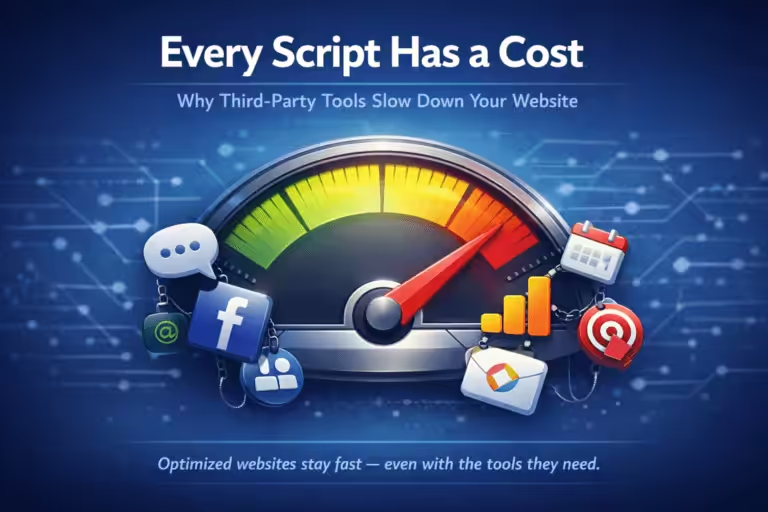
- Third-party scripts can significantly affect website speed because analytics, advertising, chat, embeds, and other external services add additional network requests and processing.
- Hosting and server response time matter — optimizing the front end of a website cannot completely compensate for an overloaded or poorly configured server.
- Caching can dramatically improve website performance, but outdated or incorrect caching configurations can cause performance to deteriorate as a website changes.
- The best way to diagnose a slow website is to measure it using tools such as Google PageSpeed Insights and real-world Core Web Vitals data rather than guessing at the cause.
A website usually loads slowly because several problems stack up: oversized images, too many plugins or third-party scripts, caching that isn’t working, and slow hosting. Most slow small business sites have two or three of these at once, and they get worse over time as pages, photos, and tools are added.
Below are the 10 most common causes, how to tell which ones apply to your site, and how to fix each one. If your site runs on WordPress, there’s a section on WordPress-specific causes after the list.
First Check: Is It Your Website or Your Connection?
Before changing anything on the site, make sure the website is actually the problem:
- Load a few other websites. If everything is slow, the problem is your internet connection or device, not your site.
- Open your site on your phone using mobile data instead of Wi-Fi. If it’s fast there, your office network may be the issue.
- Run the page through Google PageSpeed Insights. It tests from Google’s servers, so the result doesn’t depend on your connection.
- Try a private or incognito window. A browser full of extensions can make every site feel slow.
- Restart your modem and router. It sounds basic, but it clears up a lot of slow browsing.
- Switch to a public DNS service such as Google (8.8.8.8) or Cloudflare (1.1.1.1). Your internet provider’s DNS can be slow to look up website addresses, which makes every site take longer to start loading.
If other websites load fine and PageSpeed Insights still reports your page as slow, the problem is your website. The causes below are where to look.
1. Large or Unoptimized Images
Images are one of the first things to investigate when diagnosing a slow website.
Modern cameras, smartphones, stock photography websites, and design applications can produce extremely large image files. Uploading those files directly to a website means visitors may download considerably more data than is necessary to display the image on their screen.
A photograph displayed at 800 pixels wide, for example, usually doesn’t need to be uploaded as an enormous original image several thousand pixels across.
Multiply that problem across banners, service pages, blog posts, employee photos, product images, and project galleries, and image weight can become a significant portion of the page.
How to Fix Large Website Images
Images should be:
- Resized appropriately before or during upload
- Compressed
- Delivered in an efficient image format when appropriate
- Served at dimensions appropriate for the visitor’s screen
- Lazy-loaded when they’re below the initial viewport
Modern formats such as WebP and AVIF can also reduce image file sizes compared with older formats in many situations.
Image optimization is particularly valuable because it can improve performance without changing the appearance or functionality of the website when done correctly.
2. Too Many or Poorly Optimized WordPress Plugins
If you have a slow WordPress website, plugins are worth investigating.
Plugins can add:
- CSS
- JavaScript
- Database queries
- Background processes
- External requests
- Additional PHP processing
Not every plugin loads resources on every page, and the number of plugins alone doesn’t determine whether a WordPress website will be slow.
A website with 30 lightweight, properly coded plugins can potentially perform better than one with 10 poorly optimized plugins.
Plugin quality and behavior matter more than simply counting plugins.
Problems commonly develop when multiple plugins perform overlapping functions, old plugins remain installed after they’re no longer needed, or a plugin introduces excessive database queries or front-end resources.
How to Reduce WordPress Plugin Bloat
Review your installed plugins periodically.
Ask:
- Is this plugin still necessary?
- Does another plugin already provide this functionality?
- Does it load resources on pages where they’re unnecessary?
- Is it actively maintained?
- Is there a more efficient way to accomplish the same task?
Plugins that are genuinely unnecessary should generally be removed rather than simply left installed indefinitely.
3. Too Many Third-Party Scripts
Sometimes the code slowing down your website isn’t actually hosted on your website.
Third-party services commonly add scripts for:
- Analytics
- Advertising pixels
- Live chat
- Heatmaps
- Appointment scheduling
- Social media embeds
- Video players
- Review widgets
- Cookie consent systems
- Marketing automation
Each integration can introduce additional network requests, JavaScript execution, and dependencies on another company’s infrastructure.
One script may have relatively little impact.
Ten different services operating simultaneously can create a very different situation.
Third-party JavaScript can be particularly noticeable on mobile devices, where processing power and network conditions may be more constrained.
Learn more about how third-party scripts slow down your website.
4. Website Caching Isn’t Working Properly
Caching is one of the most important components of website performance.
Instead of dynamically rebuilding the same page every time someone visits, caching allows previously generated pages or resources to be reused when appropriate.
When caching isn’t enabled—or isn’t working correctly—the server may perform considerably more work for every request.
Caching can also become more complicated as a website changes.
New plugins, ecommerce functionality, logged-in users, dynamic content, platform updates, and CDN configuration changes can all affect which content should be cached and how long it should remain cached.
That’s why a caching configuration that worked when a website launched shouldn’t automatically be assumed to remain optimal forever.
Our guide to how website caching works explains browser caching, page caching, CDN caching, and object caching in more detail.
5. Slow Web Hosting or Server Response Time
Sometimes the website isn’t the primary problem.
The server is.
When someone requests a webpage, the hosting infrastructure has to respond before the browser can begin receiving the page.
Slow server processing therefore creates a delay before much of the visible loading process even begins.
Hosting performance can be affected by:
- Available CPU and memory
- Server configuration
- Traffic levels
- Database performance
- Hosting architecture
- Geographic location
- Resource limitations
- Other workloads sharing the infrastructure
This doesn’t mean every slow website needs more expensive hosting.
Moving an inefficient website to a faster server without addressing its underlying problems can simply result in an inefficient website running on more expensive infrastructure.
Hosting should be evaluated as one part of the complete performance picture.
6. Excessive JavaScript and CSS
Modern websites rely heavily on JavaScript and CSS.
JavaScript provides interactive functionality. CSS controls how the website looks.
But both can contribute to performance problems when websites load significantly more code than they need.
Large JavaScript bundles can require additional downloading, parsing, and execution before the page becomes fully responsive.
Excessive CSS can create similar inefficiencies, particularly when large stylesheets contain substantial amounts of code that aren’t needed for the current page.
Page builders, plugins, themes, tracking tools, and third-party integrations can all contribute to the total amount of code being loaded.
Performance optimization may involve:
- Removing unused functionality
- Reducing unnecessary JavaScript
- Loading scripts only where they’re needed
- Deferring non-critical resources
- Optimizing CSS delivery
- Removing duplicate resources
The goal isn’t simply achieving the smallest possible website.
It’s making sure the resources being downloaded actually provide value to the visitor.
7. Too Many Fonts and Font Files
Fonts are another easily overlooked source of additional website requests.
A website might use only two visible font families but still download numerous files for different:
- Font weights
- Styles
- Character sets
- Italic variations
Each additional font file adds another resource the browser may need to retrieve.
Web fonts should therefore be treated like other website assets: load what you actually need and avoid unnecessary variations.
8. Database Bloat
WordPress stores much of a website’s information in a database.
Over time, that database can accumulate information such as:
- Post revisions
- Transients
- Plugin data
- WooCommerce information
- Old settings
- Metadata
- Other temporary or obsolete records
Database size alone doesn’t automatically make a website slow. However, inefficient queries, excessive autoloaded data, and poorly maintained database structures can contribute to server-side performance problems.
Database performance becomes particularly important for dynamic websites such as ecommerce stores, membership sites, and websites with large amounts of frequently changing content.
9. Your Website Has Become Heavier Over Time
This is one of the most important explanations for a website that used to be fast but is now slow.
Websites evolve.
A website might launch with:
- 10 pages
- A few optimized images
- Several essential plugins
- Minimal tracking
- Proper caching
A year later, that same website might have:
- 50 pages
- Hundreds of images
- Additional plugins
- Multiple advertising pixels
- Analytics tools
- Chat functionality
- Embedded videos
- New fonts
- New integrations
- An outdated caching configuration
Nothing necessarily “broke.”
The website simply became more complex without its performance strategy evolving with it.
This is closely related to why websites break without ongoing management. Website problems often develop through the gradual accumulation of small issues rather than one dramatic failure.
10. Poor Mobile Performance
Your website may appear fast on your office computer while performing poorly for actual visitors.
A desktop computer connected to fast broadband is a very different environment from a smartphone using a variable cellular connection.
Mobile visitors may experience:
- Slower network conditions
- Higher latency
- Less processing power
- Larger relative download costs
- More noticeable JavaScript delays
That’s why website performance should be evaluated on mobile as well as desktop.
Learn more about why mobile website speed deserves separate attention.
Why Is My WordPress Site So Slow?
Most small business websites run on WordPress, and a few causes show up on WordPress sites far more often than anywhere else:
- No page caching. WordPress builds every page from scratch on each visit unless a caching plugin or your host saves a ready-made copy. A site without page caching is almost always slow.
- Heavy themes and page builders. Multipurpose themes and some page builders load a lot of code on every page, whether that page uses it or not.
- Plugins that load everywhere. A contact form, slider, or chat plugin often loads its files on every page, not just the one that needs it.
- An outdated PHP version. PHP is the language WordPress runs on. Newer versions are noticeably faster, and many sites are still on old ones. Your host can usually upgrade it in a few clicks.
- Cheap shared hosting. On low-cost plans your site shares a server with hundreds of others. When they get busy, your site slows down.
- A cluttered database. Years of post revisions, spam comments, and leftovers from deleted plugins make every database lookup slower.
The fastest wins on most WordPress sites are turning on page caching, compressing images, removing plugins you no longer use, and asking your host to update PHP. Do these one at a time with a backup in place, and test the site after each change.
How to Test Why Your Website Is Slow
Don’t optimize a website based purely on assumptions.
Measure it first.
Several tools and metrics can help identify where the problem actually exists.
Google PageSpeed Insights
Google PageSpeed Insights can analyze a webpage and identify performance opportunities.
Test more than your homepage.
Consider testing:
- Homepage
- Important service pages
- Contact page
- High-traffic landing pages
- Ecommerce or conversion pages
Different templates can have completely different performance characteristics.
Core Web Vitals
Core Web Vitals help measure important aspects of the user experience.
The current Core Web Vitals are:
Largest Contentful Paint (LCP) — measures loading performance.
Interaction to Next Paint (INP) — measures responsiveness to user interactions.
Cumulative Layout Shift (CLS) — measures unexpected visual movement.
Google Search Console can provide Core Web Vitals information based on real-world Chrome user data when sufficient data is available.
Our Core Web Vitals for small businesses guide explains these measurements in plain language.
Test Individual Pages
A common mistake is testing the homepage and assuming the result represents the entire website.
It doesn’t.
A service page with an embedded scheduling tool might perform differently from the homepage. An article containing multiple images could have different problems. A WooCommerce product page might require substantially more processing.
Test representative pages from the major templates and functions across your website.
How to Speed Up a Slow Website
Once you’ve identified the cause, improvements should be prioritized based on their actual impact rather than attempting every optimization imaginable.
Depending on the website, that could include:
- Optimizing oversized images.
- Removing unnecessary plugins.
- Reducing third-party scripts.
- Configuring website caching properly.
- Improving server or hosting performance.
- Reducing unnecessary JavaScript and CSS.
- Optimizing font delivery.
- Addressing database inefficiencies.
- Improving CDN configuration.
- Optimizing specifically for mobile visitors.
The correct combination depends on the website.
There isn’t one WordPress plugin, hosting company, CDN, or optimization setting that fixes every slow website.
Does Website Speed Affect SEO?
Website performance can contribute to search performance, but the relationship needs to be understood correctly.
Google uses page experience signals, including Core Web Vitals, as part of its ranking systems. Website performance can also affect visitors directly: a frustratingly slow page may result in people abandoning the site before they contact the business, read the content, or complete a purchase.
However, website speed isn’t the only thing determining search rankings.
A technically perfect website with irrelevant or unhelpful content isn’t automatically going to outrank a slower page that better satisfies the searcher’s intent.
Website speed should therefore be treated as part of a broader SEO and user-experience strategy—not a standalone ranking trick.
For a broader explanation, see our guide to website performance for small businesses.
Keeping a Website Fast Requires Ongoing Attention
Fixing a slow website isn’t necessarily difficult once the causes have been identified.
The bigger challenge is keeping it fast.
Websites continuously change. New content gets published. Images are uploaded. Plugins are updated. Marketing tools are added. WordPress changes. Customer expectations and performance standards evolve.
That means performance shouldn’t be something addressed once when a website launches and forgotten until someone complains that the site feels slow.
Image optimization, caching, software maintenance, script management, Core Web Vitals monitoring, and performance testing should be part of ongoing website management.
That’s how a website remains fast as the business and the website grow.
Browse more performance topics at Cindaro Resources or read the complete website performance for small businesses guide.
Frequently Asked Questions
Why is my website slow on mobile but fast on desktop?
Phones have slower processors and often slower connections, so heavy images and scripts hurt more on mobile. Your desktop browser may also have the site saved from earlier visits. Test the mobile version in PageSpeed Insights to see what new visitors experience.
How fast should my website load?
Google considers a page good when its main content appears within 2.5 seconds (its Largest Contentful Paint measure). As a practical goal, a small business page should feel usable in two to three seconds on a phone.
For comparison, in our study of 502 contractor websites, the median took 8.3 seconds to load on a phone, and only 3% loaded in 2.5 seconds or less.
Can too many plugins slow down WordPress?
Yes, although the number matters less than what each plugin does. A few heavy plugins that load on every page can slow a site more than twenty small, well-built ones. Remove plugins you don’t use and replace ones that overlap.
Why is my website slow only for me?
If PageSpeed Insights and other people see a fast site, the slowdown is on your side: your internet connection, your network, browser extensions, or an old device. Clearing your browser cache or trying another network usually confirms it.
Cindaro builds and manages websites for small businesses as an ongoing service — which means performance monitoring, caching configuration, and ongoing speed optimization are built into the relationship, not bolted on later. See how it works or view our pricing.