
Quick Takeaways
- Websites require ongoing maintenance because the technology around them continuously changes — WordPress, plugins, themes, PHP, browsers, hosting environments, and security requirements all evolve after a website launches.
- Outdated website software can create security and compatibility risks, particularly when known vulnerabilities remain unpatched.
- Website performance can decline gradually as images, plugins, scripts, integrations, and database activity accumulate over time.
- Technical problems aren’t always obvious — broken links, failed forms, indexing problems, expired certificates, and other issues can exist without the business owner immediately noticing.
- Backups, updates, security monitoring, performance checks, and routine testing reduce the risk of small problems becoming larger ones.
- Website maintenance isn’t just about fixing broken websites. Its primary purpose is keeping the website secure, functional, fast, and reliable as the site and its underlying technology change.
A website can look finished when it launches.
The technology behind it isn’t.
WordPress changes. Plugins release updates. PHP versions change. Browsers evolve. Security vulnerabilities are discovered. New content gets published. Marketing tools are added. Hosting environments change.
Meanwhile, the website is expected to continue working exactly as it did on launch day.
That’s why website maintenance and ongoing website management matter.
Most website problems don’t begin with one catastrophic failure. They develop through smaller changes—a software compatibility issue, an outdated plugin, an unnoticed form problem, declining performance, or a backup system that hasn’t been verified.
Individually, these problems may be relatively minor.
Left unaddressed, they can become much more disruptive.
Why Do Websites Need Maintenance?
Websites need maintenance because they’re built on technologies that continue changing after the website launches.
A WordPress website, for example, may depend on:
- WordPress core
- Plugins
- A theme or page builder
- PHP
- A database
- Web hosting
- DNS
- SSL certificates
- A CDN
- Security systems
- Third-party integrations
- Browsers and devices
Each component can change independently.
A plugin developer may release a security patch. WordPress may introduce a new version. A hosting provider may upgrade PHP. An external service may change its API.
Website maintenance helps ensure that all of these components continue working together.
Websites Aren’t Static Products
It’s easy to think of a website like a brochure.
Build it once, publish it, and leave it alone.
Technically, a modern website is much closer to software.
Consider WordPress.
WordPress core receives updates. Plugins have their own development cycles. Themes and page builders change. PHP versions eventually reach end of life. Hosting configurations evolve.
Even if you never intentionally change the website, the environment surrounding it continues changing.
That creates a growing possibility of:
- Compatibility problems
- Security vulnerabilities
- Performance issues
- Broken functionality
- Outdated integrations
Ongoing management is the process of keeping the website aligned with that changing environment.
9 Reasons Websites Break Without Ongoing Maintenance
1. Website Security Requires Ongoing Maintenance
Security is one of the strongest reasons to maintain website software.
Vulnerabilities are periodically discovered in WordPress, plugins, themes, and other software.
When developers release security updates, those updates frequently address vulnerabilities that could otherwise remain exploitable on websites running older versions.
Automated systems can scan large numbers of websites looking for vulnerable software, which means small businesses shouldn’t assume they’re too small to attract malicious traffic.
Attackers don’t necessarily need to know anything about the business.
They may simply be looking for websites running software with a known vulnerability.
What Happens When Website Software Isn’t Updated?
The consequences depend on the vulnerability, but potential outcomes can include:
- Malware
- Spam injection
- Unauthorized administrator accounts
- Redirects
- Modified website content
- Data exposure
- Website suspension
- Search-engine security warnings
- Complete website compromise
Updates aren’t the only component of website security, but keeping software appropriately updated removes known vulnerabilities that have already been fixed by developers.
2. Website Performance Changes Over Time
A website that was fast when it launched isn’t guaranteed to remain fast.
Performance can change as the website evolves.
Over time, a business may add:
- New images
- More pages
- Additional plugins
- Analytics
- Advertising pixels
- Chat systems
- Scheduling software
- Embedded videos
- New fonts
- Ecommerce functionality
- Other third-party integrations
Each addition changes the website’s performance profile.
A single change may have almost no noticeable impact.
Dozens of changes accumulated over time can produce a very different website from the one that originally launched.
That’s why businesses sometimes ask “Why is my website slow?” even though nobody remembers making one significant change that caused it.
Our guide to why websites become slow explains the individual causes in greater detail.
3. WordPress Updates Can Create Compatibility Problems
Website updates are important, but blindly installing every update without preparation isn’t necessarily good website maintenance.
A WordPress website can involve software developed by many different companies.
One developer maintains WordPress core. Another maintains the page builder. Other developers maintain individual plugins.
An update to one component can occasionally create a compatibility problem with another. Here’s how to update WordPress plugins safely.
A responsible update process may include:
- Verifying that a recent backup exists.
- Reviewing significant updates.
- Testing higher-risk changes when appropriate.
- Applying updates.
- Clearing relevant caches.
- Checking important pages.
- Testing forms and critical functionality.
- Monitoring the website afterward.
The objective isn’t simply “install updates.”
It’s keeping the website current without unnecessarily disrupting the live site.
4. Website Functionality Can Break Silently
Some of the most costly website problems don’t take the entire site offline.
The homepage still loads.
Everything appears normal.
But something important has stopped working.
For example:
- A contact form stops sending notifications.
- A booking integration stops loading.
- A checkout button produces an error.
- An email integration disconnects.
- A mobile menu stops responding.
- A tracking script stops recording conversions.
- An important link leads to a 404 page.
These problems may go unnoticed because nobody receives an automatic warning.
A contact form could theoretically stop working while the business assumes the absence of inquiries simply means fewer people are contacting them.
Routine functionality testing helps identify these problems before they persist for extended periods.
5. Broken Links and Technical Problems Accumulate
Websites change as businesses change.
Pages are renamed. URLs change. Images are replaced. Services are discontinued. New content is published.
Those changes can introduce technical problems.
Changing a URL without creating an appropriate redirect, for example, can create broken internal links and send visitors to a 404 page.
Deleting an image that’s still used elsewhere can leave missing media.
Removing a page without updating links pointing to it creates dead ends.
Regular technical checks can help identify:
- Broken internal links
- 404 errors
- Redirect problems
- Missing images
- Crawl problems
- Indexing problems
- Canonical issues
- Sitemap problems
These issues don’t necessarily mean the entire website is broken.
But maintaining technical health prevents them from unnecessarily degrading the website experience.
6. Backups Need to Be Maintained and Verified
Website backups are easy to ignore until they’re needed. See how to back up a WordPress site for the full process, or let a website care plan handle backups, updates and monitoring for you.
A good backup system should answer several questions:
How frequently is the website backed up?
Where are the backups stored?
How long are they retained?
What exactly is being backed up?
Can the backup actually be restored?
The last question is particularly important.
Simply having a backup file doesn’t guarantee that recovery will work as expected.
Backups provide a recovery path when something goes wrong—a failed update, corrupted database, accidental deletion, security incident, or other unexpected problem.
They’re one of the most important safeguards in ongoing website management.
7. SSL, Domains, DNS, and Hosting Need Attention Too
Website management extends beyond WordPress.
A website also depends on infrastructure that visitors rarely see.
That can include:
- Domain registration
- DNS records
- SSL certificates
- Web hosting
- Email authentication
- CDN configuration
- Server software
Problems at any of these layers can affect website availability.
An incorrect DNS change can make a website unreachable. An SSL problem can trigger browser security warnings. An expired domain can take the entire website offline.
These systems don’t need constant manual adjustment, but they should be properly configured and monitored.
8. Website Performance Should Be Monitored
You can’t reliably maintain website performance without measuring it.
A website owner may visit their own website frequently from the same device and network.
That isn’t necessarily representative of a new visitor.
Their browser may already have website resources cached. Their internet connection may be considerably faster than a visitor’s cellular connection. Their computer may have more processing power than a typical smartphone.
Performance monitoring provides a more objective view.
Depending on the website, that might include:
- Core Web Vitals
- Mobile performance
- Server response time
- Uptime
- Page weight
- Image optimization
- Third-party scripts
This makes it easier to identify gradual degradation before it becomes severe enough for visitors to complain.
9. Search Performance Requires Technical Maintenance
Website maintenance and SEO overlap in several areas.
Search engines need to be able to crawl and understand important pages.
Technical problems can interfere with that process.
Examples include:
- Accidental
noindexdirectives - Incorrect canonical tags
- Broken internal links
- Redirect chains
- Server errors
- Sitemap problems
- Robots.txt mistakes
Not every technical issue causes rankings to fall, and maintenance alone doesn’t create strong search rankings.
But maintaining a technically healthy website helps ensure that avoidable website problems aren’t preventing useful content from being discovered, crawled, or indexed correctly.
What Happens If You Don’t Maintain a Website?
Nothing may happen immediately.
That’s part of the problem.
A website can potentially operate for months without active maintenance and appear perfectly normal.
The risk increases as its software, content, integrations, and surrounding infrastructure change.
Potential problems include:
- Outdated software
- Security vulnerabilities
- Slower performance
- Broken functionality
- Failed forms
- Compatibility issues
- Broken links
- Missing backups
- Indexing problems
- Website downtime
The longer an issue remains undetected, the more disruptive it can become.
This is why proactive maintenance generally makes more sense than waiting for something to break.
Website Maintenance vs. Website Management
These terms are often used interchangeably, but there’s a useful distinction.
Website maintenance generally refers to the technical work required to keep a website functioning properly.
That can include:
- Updates
- Backups
- Security
- Performance checks
- Uptime monitoring
- Technical troubleshooting
Website management can be broader.
It may include maintenance plus:
- Content updates
- New pages
- Form management
- Analytics
- SEO
- Integrations
- Ecommerce management
- Ongoing improvements
In other words:
Maintenance keeps the website working. Management keeps the website working and evolving with the business.
Our guide to what website management actually includes explains that distinction in greater detail.
How Often Should a Website Be Maintained?
Website maintenance isn’t necessarily something that should happen on one fixed schedule.
Different tasks require different frequencies. For a week-by-week list and what it typically costs, see our website maintenance checklist and cost guide.
Some things should be monitored continuously, such as uptime.
Others may be checked periodically, such as:
- Software updates
- Backups
- Security alerts
- Forms
- Broken links
- Performance
- Search Console
- SSL status
Major website changes should also trigger additional checks.
For example, after a significant WordPress update, you may want to verify important pages, forms, caching, and other functionality immediately rather than waiting for the next scheduled maintenance review.
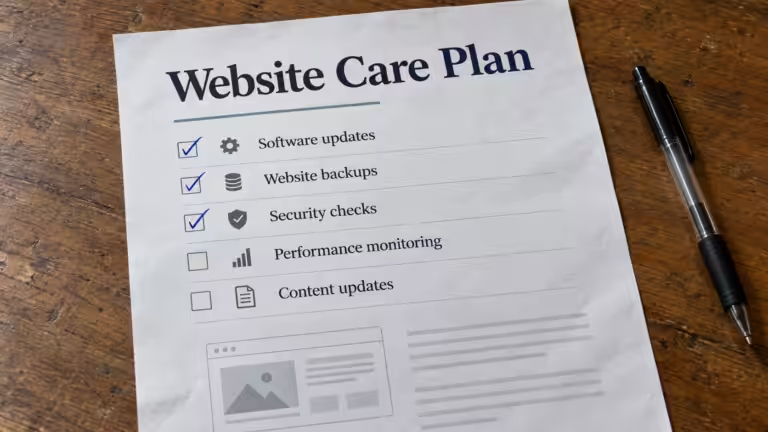
What Should Ongoing Website Maintenance Include?
A practical website maintenance process can include:
- WordPress core updates
- Plugin and theme updates
- Website backups
- Backup verification
- Security monitoring
- Uptime monitoring
- Malware scanning
- Form testing
- Broken-link checks
- Performance monitoring
- Core Web Vitals monitoring
- SSL monitoring
- Domain and DNS oversight
- Database maintenance when appropriate
- Mobile testing
- Compatibility testing
- Search Console monitoring
Not every website requires the exact same maintenance process.
An ecommerce website accepting orders has different requirements from a five-page informational website.
The important part is that someone is responsible for keeping the website healthy after launch.
Proactive Website Maintenance vs. Reactive Repairs
There are two basic approaches to website maintenance.
Reactive: Wait until something breaks and then fix it.
Proactive: Monitor, maintain, and test the website so problems can be prevented or identified early.
Reactive maintenance can work—until the problem affects something important.
If a contact form stops working for three weeks, repairing the form doesn’t recover the inquiries that may have been lost.
If an outdated plugin is exploited, installing the security update afterward doesn’t undo the compromise.
If the website becomes progressively slower for six months, optimizing it later doesn’t change the experience previous visitors already had.
Proactive maintenance is about reducing those periods where a problem exists without anyone knowing.
A Website Isn’t Finished When It Launches
Launching a website is the beginning of its operational life, not the end.
The technology underneath it will continue changing.
The business will change.
The content will change.
Customer expectations will change.
And the website needs to continue functioning through all of it.
That’s what ongoing website maintenance and management provide: a process for keeping the website secure, functional, fast, recoverable, and aligned with the business long after the initial build is finished.
Explore our complete website management for small businesses guide or browse additional topics at Cindaro Resources.
Cindaro builds and manages websites for small businesses as an ongoing service — which means active management is built into the relationship from day one, not something that has to be remembered, scheduled, or paid for separately when problems arise. See how it works or view our pricing.