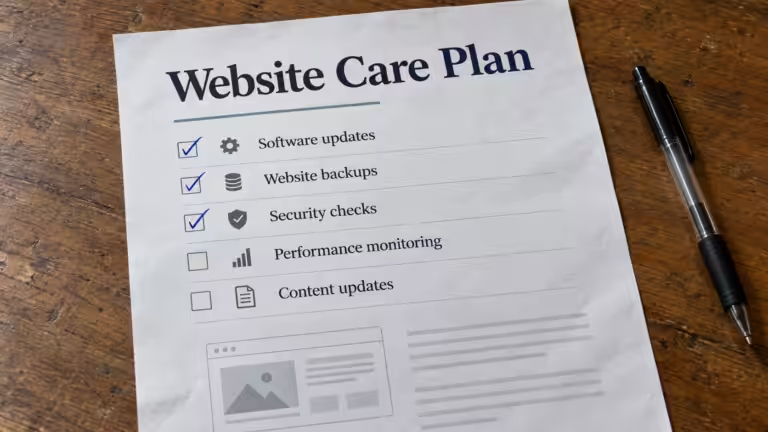


Quick Takeaways
- Website management is the ongoing work of keeping a website secure, fast, backed up, up to date, and visible in search, plus having someone responsible when something goes wrong.
- It’s far more than occasional updates. It covers security, performance, backups, technical health, hosting, content, SEO, and support.
- Most small business websites have never had one person or company responsible for all of these at once, which is why they gradually develop the problems management is designed to prevent.
- Good website management is largely invisible. The site runs well, loads fast, stays secure, and doesn’t demand the business owner’s attention.
- Small businesses usually get website management in one of three ways: doing it themselves, hiring a website manager, or using a website management company.
What Is Website Management?
Website management is the ongoing process of keeping a website secure, fast, functional, and up to date after it launches. It includes security updates, performance monitoring, backups, technical health checks, hosting oversight, content and SEO maintenance, and support when problems come up. In plain terms, website management means someone is responsible for the website every day, not just when it breaks.
What does website management include? It’s a question most small business owners have never thought to ask, because the phrase gets used so often and defined so rarely that its meaning has become vague.
Most people have a general sense that websites need to be “maintained.” Fewer understand what that means in practice: what specific tasks are involved, how often they need to happen, what goes wrong when they’re neglected, and why each part matters to the overall health and performance of the site.
The gap between what people assume website management covers and what it actually includes is significant. That gap is where most website problems quietly start. Not in dramatic failures, but in the gradual build-up of issues that a well-managed site never develops in the first place.
Website Management vs. Website Maintenance
The two terms are often used interchangeably, but they aren’t quite the same thing. Website maintenance is the set of technical tasks. Website management is the ongoing responsibility for the whole website, including those tasks.
| Website Maintenance | Website Management |
|---|---|
| Software, plugin, and theme updates | Everything in maintenance, plus oversight of the whole site |
| Backups and security checks | Hosting, domain, SSL, and infrastructure oversight |
| Fixing issues as they’re found | Performance, SEO, and content planning over time |
| Usually a checklist of tasks | An ongoing relationship with someone accountable for results |
For the task-by-task side, including a weekly-to-yearly checklist and typical costs, see Website Maintenance for Small Business: Costs, Plans & Checklist.
What Website Management Includes
1. Security Updates and Patch Management
Security updates are the most time-sensitive part of website management, and the one where delays have the most immediate consequences.
WordPress core, plugins, and themes all receive security patches when vulnerabilities are discovered. When those patches are skipped, even briefly, the vulnerability becomes publicly documented while the site keeps running the unpatched version. Automated tools scanning for exactly that vulnerability will find the site within days.
Security management means applying updates promptly, testing them for compatibility conflicts before applying them to the live site, and monitoring for new vulnerability disclosures as they emerge. It’s not a monthly task checked off a list. It’s a continuous responsibility that requires awareness of the current security landscape and the specific software running on the site.
How regular updates prevent website failure covers the full update picture in detail, including what gets updated, why each type matters, and why applying updates requires more than clicking a button.
2. Performance Monitoring and Optimization
A website that launched fast won’t necessarily stay fast. Performance degrades over time as plugins update and add script weight, images accumulate without compression, caching configurations drift, and third-party integrations add external requests.
Performance management means actively monitoring load times, Core Web Vitals scores, and mobile experience, and addressing slowdowns before they affect rankings and visitor behavior. It means noticing when a metric moves in the wrong direction and understanding what’s causing it, rather than waiting for the business owner to notice the site feels slow. You can check your own site with the free Cindaro website speed test.
This is the difference between a website that improves over time and one that gradually gets worse. Active performance monitoring catches the drift early. Without it, the drift continues until it’s obvious, and by then it’s already been hurting search visibility and conversion rates for months.
It’s a common gap. When we ran 502 contractor websites through Google’s mobile speed test in October 2026, 93% took longer than 3 seconds for their main content to appear, and only 3% met Google’s 2.5-second target.
3. Backup Management
Backups are the safety net most business owners assume exists until they need it, and then discover it doesn’t, or that what exists can’t restore the site to where it was.
Proper backup management means regular, tested backups stored completely separately from the hosting environment. Not backups configured at launch and never verified since. Not backups stored on the same server as the site, where one hosting failure could take out both.
Adequate backup management requires:
- Frequency: daily for most small business sites, so a restore never loses more than a small amount of recent work.
- Retention: at least thirty days, to recover from issues that aren’t noticed right away.
- Off-site storage: genuinely independent of the hosting environment.
- Restore tests: periodic tests confirming the backups actually work.
Why website backups are more important than you think explains why the backups most small business websites rely on are less reliable than owners assume.
4. Technical Health Monitoring
Websites develop technical issues over time that affect both visitor experience and search visibility: broken links, missing images, forms that stop working, pages that return errors, and indexing issues that keep pages out of search results.
Technical health monitoring means regularly checking for these issues and fixing them before they pile up. That includes auditing for broken links, testing key forms and functionality, reviewing Google Search Console for crawl errors, indexing issues, and Core Web Vitals problems from real visitor data, and checking error logs for recurring issues that might point to deeper problems.
These checks aren’t technically complex. But they require someone to do them systematically and regularly, not when something is obviously broken, but as prevention that catches issues while they’re still small.
5. Hosting and Infrastructure Oversight
Website management includes staying on top of the infrastructure the site runs on, and infrastructure problems are the ones that most directly affect whether the site is available at all.
Uptime monitoring, automated checking that alerts you when the site goes down, is the baseline. Without it, a site can be down for hours before anyone notices. The right way to handle website downtime covers how to respond when it happens, but the first requirement is knowing immediately.
SSL certificate management makes sure the certificate that enables HTTPS doesn’t expire. An expired certificate triggers browser security warnings that make the site effectively unusable for most visitors. DNS oversight keeps the domain resolving correctly. Server performance monitoring catches hosting problems before they noticeably slow the site.
PHP version management, keeping the site on a current, supported PHP version, sits where security and performance meet. Older PHP versions are both less secure and measurably slower, and many small business websites are running outdated PHP without the owner knowing.
6. Content and SEO Maintenance
Website management includes the ongoing SEO maintenance that keeps search visibility building instead of eroding.
Metadata review as new pages are added makes sure every page has a unique, intentional title tag and meta description instead of platform-generated defaults. Internal linking audits make sure new content connects to existing content and that key pages receive links from related articles. Search Console monitoring catches ranking changes, indexing issues, and Core Web Vitals problems that need attention.
In the context of ongoing management, search visibility means actively maintaining the technical foundations that let rankings build over time, not setting them up at launch and assuming they’ll hold on their own.
7. Support and Communication
The final part of website management is often the most important to business owners: having someone available when something unexpected happens, and being able to talk about it without first becoming a technical expert.
Good website management means issues get caught before the business owner notices them. When something unexpected does happen, the response should be fast and clear, and handled without asking the business owner to diagnose the problem or manage the fix.
That support relationship is what turns website management from a list of technical tasks into a real business service. The tasks exist to serve the business, and clear, responsive communication focused on business outcomes is what makes the service valuable, not just functional.
What Does a Website Manager Do?
A website manager is the person responsible for all of the above. Day to day, a website manager:
- Applies and tests software updates and security patches
- Monitors uptime, speed, and security alerts
- Confirms backups are running and periodically tests restores
- Makes content updates: new pages, service changes, photos, pricing
- Reviews Google Search Console and fixes technical SEO issues
- Oversees hosting, the domain, SSL, and access to accounts
- Answers questions and handles problems when they come up
Website managers typically rely on a handful of website management tools: a dashboard for updates across plugins and themes, an uptime monitor, an off-site backup service, a security scanner, and Google Search Console. The tools matter less than having someone who actually checks them.
Who Handles Website Management for a Small Business?
Small businesses usually handle website management in one of three ways.
| Option | Works well when | Watch out for |
|---|---|---|
| Do it yourself | You have technical skills and set time each week | Tasks slipping when the business gets busy |
| Hire or contract a website manager | You have a larger site and budget for a dedicated person | Cost, and what happens when that person leaves |
| Use a website management company | You want the whole job handled for a predictable monthly fee | Plans that cover updates only, not support or SEO |
What to look for in a website management company
If you’re comparing website management services, ask each company:
- Which of the seven areas above are included, and which cost extra?
- Are backups tested, and where are they stored?
- How quickly are security updates applied?
- Who do you contact when the site goes down, and how fast do they respond?
- How many content updates are included each month?
- Do you keep ownership of your domain, content, and accounts?
For typical price ranges, see how much website maintenance costs for a small business.
What Good Website Management Looks Like in Practice
Good website management is largely invisible to the business owner. The site loads quickly. Security holds. Technical issues get caught and fixed before they affect visitors. Performance stays strong. The website keeps doing its job, attracting visitors, building credibility, and generating leads, without demanding attention from the person running the business.
That invisibility is the goal. A website that needs frequent emergency fixes isn’t being managed. It’s being repaired. The difference matters because reactive fixes are both more expensive and less effective than proactive management. They address problems after they’ve already cost the business something, whether in visitor experience, search visibility, credibility, or revenue.
Why websites break without ongoing management describes what happens when these pieces aren’t in place. Understanding what website management actually includes makes it clear that this decline is preventable, not inevitable.
Frequently Asked Questions
What is website management in simple terms?
Website management means someone is responsible for keeping your website secure, fast, backed up, up to date, and working properly every day after it launches, and for fixing problems when they come up.
What does website management include?
Website management includes security updates, performance monitoring, backups, technical health checks, hosting and infrastructure oversight, content and SEO maintenance, and ongoing support.
What is the difference between website management and website maintenance?
Website maintenance is the set of technical tasks, like updates and backups. Website management is the broader, ongoing responsibility for the whole website, including maintenance, hosting, performance, SEO, content, and support.
What does a website manager do?
A website manager applies updates, monitors security and uptime, manages backups, makes content changes, fixes technical SEO issues, oversees hosting and the domain, and handles problems when they come up.
Do small businesses need a website management company?
Not always. Business owners with technical skills and time can manage their own site. But most small businesses benefit from having one company responsible for the whole website, because tasks done “when there’s time” tend not to get done.
How much does website management cost?
It depends on what’s included. Basic update-only plans typically cost less than $100 per month, while full website management that includes hosting, content updates, SEO, and support usually costs more. See our website maintenance cost breakdown for typical ranges.
Explore the complete website management for small business guide for everything in this category, or browse all topics in Cindaro Resources.
Cindaro builds and manages websites for small businesses as an ongoing service, covering every part of website management described in this article as part of every plan, not as optional add-ons. See how it works, view our pricing, or explore our services.