Quick Takeaways
- Caching stores pre-built versions of your pages so they can be delivered without rebuilding from scratch on every visit — reducing server response time from hundreds of milliseconds to under fifty milliseconds for cached pages.
- Caching operates across multiple layers — browser caching stores assets on the visitor’s device, server-side caching stores pre-built pages, CDN caching delivers assets from geographically nearby nodes, and object caching stores database query results in fast memory.
- Core Web Vitals scores — particularly Largest Contentful Paint — are directly improved by properly configured caching. Better caching means better scores, which contributes to better search rankings.
- Caching that worked correctly at launch frequently drifts out of alignment after platform updates — serving stale content, failing to cache pages that should be cached, or bypassing the cache entirely for certain page types.
- Misconfigured caching doesn’t always fail silently — visitors seeing outdated content, changes not appearing after publishing, and inconsistent behavior across devices are all common symptoms of caching problems.
How Does Website Caching Work? A Plain Guide for Small Business Owners
How does website caching work? It’s a question most small business owners encounter when trying to improve their site’s speed — and one that usually gets answered with technical language that creates more confusion than clarity.
This guide cuts through that. How does website caching work, what types exist, why it matters for your business, and what happens when it stops working correctly — all explained in plain terms without the jargon.
How Does Website Caching Work — The Core Concept
Caching is the process of storing a saved version of something so future requests for it can be served faster.
Here’s the problem it solves. When a visitor loads a page on a WordPress website without caching, the server goes through a complete process for every single visit. It queries the database for the page’s content. It retrieves data from each active plugin. It assembles the HTML structure. It applies styles and scripts. It delivers the complete result to the visitor’s browser.
For a dynamic WordPress site with multiple plugins, this process involves dozens of database operations and can take several hundred milliseconds at the server level alone — before the browser has even started rendering anything visible on screen.
With caching in place, the server builds the page once, saves that pre-built version, and delivers it directly to subsequent visitors — bypassing most of the database work entirely. Server response time drops from several hundred milliseconds to under fifty milliseconds for cached pages.
That’s how website caching works at its core. Build once. Serve many times. Dramatically faster for every visitor who benefits from the cached version.
How Does Website Caching Work — The Different Types
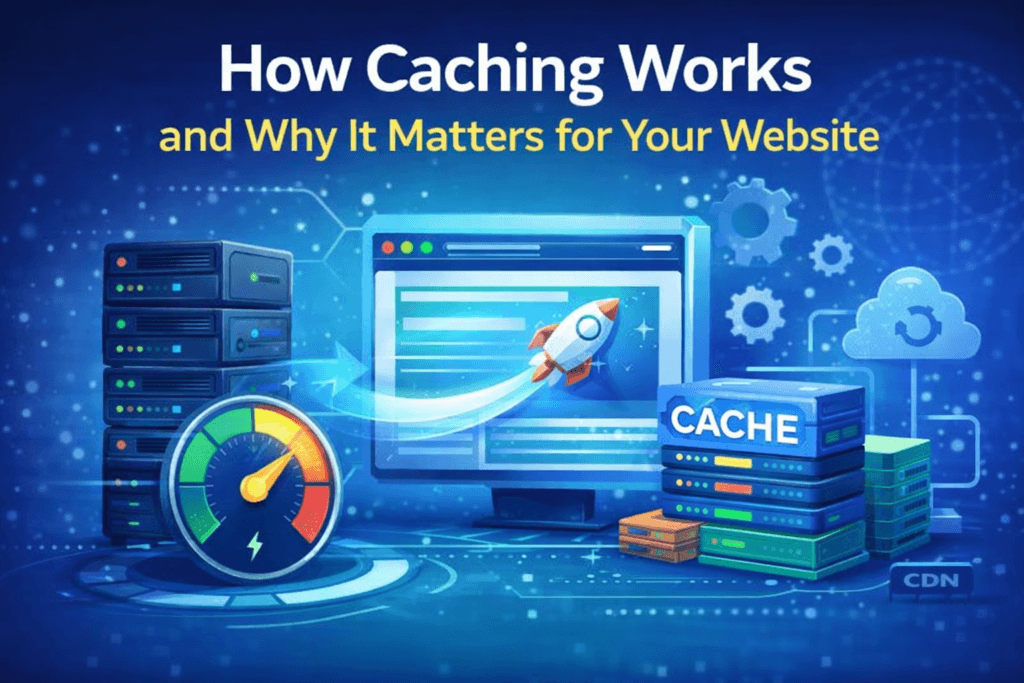
Caching isn’t a single system. It operates across several distinct layers, each contributing to overall performance in complementary ways that compound when working together.
Browser Caching — Storing Assets on the Visitor’s Device
Browser caching instructs a visitor’s browser to save static assets locally on their device after the first visit. Images, CSS stylesheets, JavaScript files, fonts — all stored locally so that on subsequent visits they load from the device rather than being downloaded again from the server.
This is why websites often feel faster on your second visit than your first. The assets are already on your device. The browser loads them instantly from local storage rather than requesting them from the internet.
Browser caching is controlled by cache headers — instructions in the server’s response that tell the browser how long to keep each type of asset before checking for an updated version. Properly configured browser caching is one of the most consistent recommendations in Google PageSpeed Insights reports for small business sites that haven’t addressed it.
Server-Side Caching — Storing Whole Pages
Server-side caching stores pre-built versions of entire pages at the server level. Dynamic pages don’t need to be rebuilt for every request — the cached version is delivered directly. On WordPress this is handled by caching plugins — LiteSpeed Cache, WP Rocket, W3 Total Cache — or by server-level configuration in hosting environments that support it natively.
Server-side caching is typically the most impactful type for WordPress websites because it eliminates the database processing overhead that makes dynamic page generation slow. The difference in server response time between an uncached and a properly cached WordPress page is often the single largest performance improvement available.
CDN Caching — Storing Assets Globally
A Content Delivery Network stores copies of your site’s static assets at data centers distributed geographically around the world. When a visitor requests your website, assets are delivered from the node closest to them rather than from a single origin server location.
A visitor in Texas and a visitor in London both receive images and scripts from a nearby CDN node rather than waiting for data to travel from a single server. This reduces latency for every visitor regardless of their geographic location relative to your hosting provider — and it matters more than most small business owners realize, because visitor geography is rarely concentrated in a single location.
Object Caching — Storing Database Query Results
Object caching stores the results of frequently repeated database queries in fast in-memory storage — typically Redis or Memcached. Instead of running the same database query repeatedly for different visitors requesting the same data, results are retrieved from memory at dramatically faster speeds.
Object caching is most valuable for sites with complex queries, WooCommerce stores with product catalogs, or any site with registered users where database calls are frequent and varied.
Why Caching Directly Affects Search Rankings
Understanding how website caching works also means understanding its direct connection to search visibility — because the two are more closely linked than most business owners realize.
Core Web Vitals for small business — Google’s standardized performance metrics used as ranking signals — are directly affected by how effectively caching reduces load times. Largest Contentful Paint, which measures how quickly the main content appears on screen, is one of the metrics most directly improved by proper caching. A site serving pages from cache consistently scores better on LCP than an equivalent site rebuilding pages on every request.
Better Core Web Vitals scores contribute to better search rankings. Better rankings bring more organic traffic. For small businesses competing in search, proper caching configuration isn’t just a performance improvement — it’s an SEO investment with measurable ranking implications.
This connection between caching and rankings is one of the core reasons website performance for small business deserves ongoing attention rather than a one-time setup — because caching that has drifted or misconfigured is silently affecting search visibility without any obvious indication that something has changed.
Why Caching Breaks and Stops Working Correctly
One of the most important things to understand about website caching is that it requires ongoing maintenance. It isn’t a set-and-forget configuration.
Platform updates are the most common cause of caching drift. A WordPress core update, a caching plugin update, or a theme update can change the underlying behavior that caching rules were built around — leaving those rules serving the wrong content, caching pages that shouldn’t be cached, or failing to cache pages that should be.
New integrations create caching conflicts. A new plugin adding dynamic personalization, a checkout process, or logged-in user content may not be compatible with existing caching rules configured before the plugin existed. The result can be visitors seeing incorrect cached content or the cache being bypassed entirely for pages where it should apply.
New content types and page templates may not be covered by existing CDN rules — meaning new pages are served from the origin server rather than the CDN, adding latency for every visitor to those pages.
Misconfigured caching doesn’t always fail silently either. Symptoms like visitors seeing outdated content after a site update, changes not appearing after publishing, or inconsistent behavior between devices are all signs of caching that isn’t working correctly. These symptoms are often diagnosed as content or development issues when caching misconfiguration is the actual cause.
This is one of the core reasons why your website slows down after launch without any obvious trigger — the caching layer that was keeping the site fast gradually becomes misaligned with the site it’s supposed to be serving.
The Relationship Between Caching and Website Updates
Caching and website updates have a specific relationship worth understanding. Every time a significant update is applied — a plugin update, a theme change, a WordPress core update — caching needs to be verified to ensure it’s still configured correctly for the updated site.
This is one reason how regular updates prevent website failure is about more than just security patches. Updates change the site, and a changed site needs caching rules that reflect those changes. Applying updates without verifying caching afterward is one of the most common ways performance inadvertently degrades following routine maintenance.
What Good Caching Management Looks Like
Good caching management means caching rules are reviewed and updated when the platform updates. CDN configuration is verified when the site structure changes. Cache is cleared and rebuilt after significant content updates. Performance is monitored regularly to catch cases where caching has drifted and pages are no longer being served efficiently.
None of this is technically complex. But it requires consistent attention across the life of the website — the kind of attention that’s easy to maintain when it’s part of an ongoing platform service and easy to neglect when it’s the business owner’s responsibility alongside everything else.
Browse all performance topics at Cindaro Insights or explore the complete website performance for small business guide for everything you need to know about keeping your site fast over time.
Cindaro builds and manages websites for small businesses as an ongoing service — which means caching is configured correctly from day one and verified after every update, not left to drift until it starts affecting load times. See how it works or view our pricing.