Quick Takeaways
- Internal links help Google discover your content, understand how pages relate to each other, and determine which pages are most important on your site.
- Pages with no internal links pointing to them may never be discovered or ranked — regardless of how strong the content is.
- Descriptive anchor text — the clickable words in a link — gives Google additional context about the page being linked to. “Click here” does nothing. “Internal linking strategy for small businesses” tells Google exactly what to expect.
- Every new article you publish is an opportunity to strengthen existing pages by linking to them from relevant content.
- Internal linking is entirely within your control, costs nothing, and compounds in value as your content library grows.
Internal Linking Strategy for Small Business Websites
Internal linking strategy for small business is one of the most consistently underused SEO tools available — and one of the most accessible.
Unlike backlinks, which require other websites to link to yours, internal links are entirely within your control. Unlike content creation, which requires time and expertise to produce well, internal linking requires only the awareness to do it and the discipline to do it consistently. Unlike technical SEO audits, which require tools and experience to interpret, internal linking improvements are immediately visible and immediately actionable.
And yet most small business websites have almost no deliberate internal linking structure. Pages exist in isolation. Content is published without connecting it to related pages. The authority that could be flowing through the site is sitting untapped — not because internal linking is difficult, but because most business owners don’t know how much it matters.
What Internal Linking Strategy for Small Business Actually Does
An internal link is any link from one page on your website to another page on the same website. When used strategically, internal links accomplish three distinct things that directly affect search visibility.
They help Google discover and understand your content
When Google crawls your website it follows links to find new pages. A page with no internal links pointing to it from other pages on the site may take weeks to be discovered — or may never be discovered at all if the crawl path doesn’t happen to lead there.
This is particularly important for new content. Publishing an article without linking to it from any existing page means Google has to discover it independently — through its sitemap, through an external link, or through a coincidental crawl. Linking to it from two or three relevant existing pages creates immediate crawl paths that bring Google to it faster.
Beyond discovery, the context surrounding an internal link — the words around the link and the topic of the page it appears on — helps Google understand what the linked page is about. A link to an article about mobile website speed, placed within a paragraph discussing Core Web Vitals, sends a clearer signal about that article’s topic than the same link placed without context.
They signal which pages are most important
Google treats pages with more internal links pointing to them as higher priority than pages with few or no internal links. This is a simplified version of the same logic behind PageRank — the original algorithm Google used to evaluate page importance based on the quantity and quality of links pointing to it.
For a small business website, this means consistently linking to your most important pages — your core service pages, your highest-converting landing pages, your pillar content — from relevant articles and supporting content throughout the site. That consistent internal linking tells Google those pages matter and deserve to rank well.
A page that receives ten internal links from relevant, topically related pages on the same site is in a fundamentally stronger position than an equivalent page with no internal links — all else being equal.
They keep visitors engaged longer
A well-placed internal link to a related article or page gives visitors a natural next step — reducing bounce rates and increasing the time spent on your site. Both of these behavioral signals influence how Google assesses the quality of your content and the relevance of your site to the queries it’s ranking for.
For a content hub like Cindaro’s Insights section, internal linking between related articles creates a reading experience where visitors naturally move from one article to the next — building deeper engagement and sending stronger behavioral signals to Google than any single article could generate on its own.
The Pillar and Cluster Structure for Internal Linking
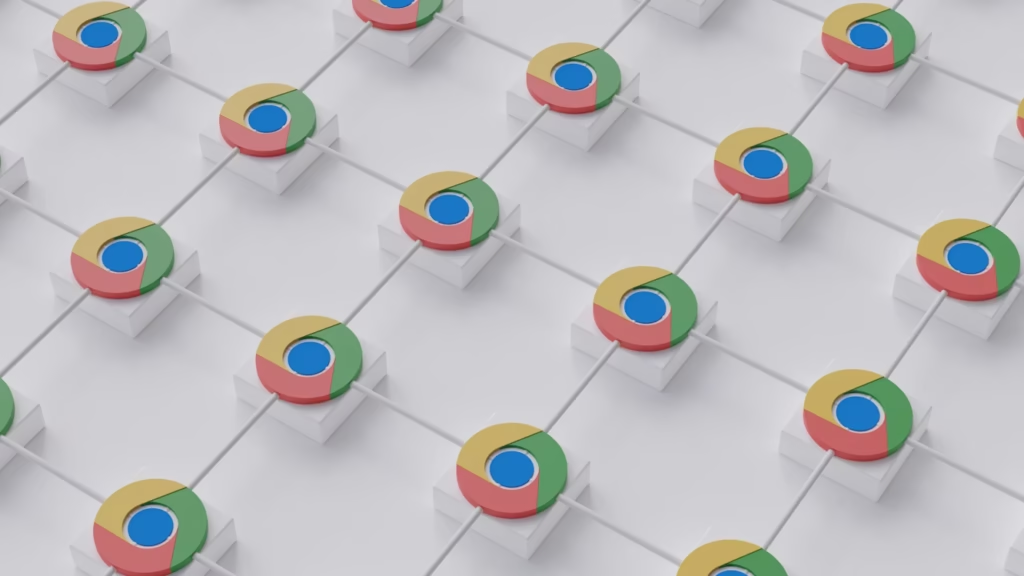
The most effective internal linking strategy for small business websites follows a pillar and cluster model — a structure where a central pillar page covering a broad topic links out to cluster articles covering specific subtopics, and each cluster article links back to the pillar.
The pillar page targets a broad, high-value keyword and serves as the authoritative hub for that topic on your site. The cluster articles target more specific long-tail keywords and cover individual aspects of the broader topic in depth. The bidirectional links between them — pillar to cluster and cluster back to pillar — create a tightly connected content structure that signals topical authority to Google.
This is exactly the structure that why SEO starts with your website foundation describes as the foundation of effective SEO for small businesses — content that works together as a connected system rather than as isolated individual pages.
For Cindaro’s Insights hub, each category page functions as a pillar. The articles within each category are the cluster. Every article linking back to its category page — using anchor text that includes the pillar’s target keyword — strengthens the pillar’s authority and reinforces the topical signal that the entire cluster sends to Google.
How Anchor Text Affects Internal Linking Strategy
Anchor text — the clickable words in a link — is one of the most direct signals internal links send to Google about the page being linked to.
Generic anchor text like “click here,” “read more,” or “learn more” tells Google nothing about the destination page. It’s a missed opportunity to reinforce the target page’s keyword relevance with every link that points to it.
Descriptive anchor text — like “internal linking strategy for small business” linking to this article — tells Google exactly what the destination page covers. It reinforces the page’s keyword relevance, supports its ability to rank for that keyword, and contributes to the overall clarity of your site’s topical structure.
The practical rule is simple: use the target keyword or a close variation as anchor text whenever you link to a page internally. Don’t repeat the exact same anchor text from multiple pages pointing to the same destination — vary it naturally — but ensure every internal link uses descriptive language that reflects the destination page’s topic.
The Most Common Internal Linking Mistakes on Small Business Websites
Understanding what to avoid is as valuable as understanding what to do.
The most common mistake is simply not doing it. Most small business websites have pages that exist in complete isolation — no internal links pointing to them from other pages, no links going out to related content. These pages are invisible to Google’s crawl prioritization and invisible to visitors who might benefit from them.
Over-relying on navigation menus is another consistent mistake. Navigation links matter, but they’re not a substitute for contextual links within content. Body text links — links that appear naturally within paragraphs and point to related pages — carry more weight than navigation links because they appear in the context of relevant content rather than in a static menu.
Ignoring existing content when publishing new articles is a missed opportunity that compounds over time. Every new article published without linking back to relevant existing articles and without being linked to from relevant existing articles is a missed chance to strengthen the site’s internal linking structure. Retrofitting links after the fact is possible but requires going back through every published article — far more work than building the links in from the start.
A Practical Internal Linking Checklist
For every new article published on a small business website, a simple internal linking checklist produces consistently better results than no system at all.
Before publishing, identify three to five existing pages on the site that are topically related to the new article. Add internal links from those pages to the new article using descriptive anchor text. Then identify three to five pages the new article should link to — including the category pillar page — and add those links within the article’s content where they fit naturally.
This approach means every new article strengthens the existing content around it and is immediately connected to the content structure rather than sitting in isolation waiting to be discovered.
As the content library grows, this consistent internal linking practice compounds. Each new article becomes both a destination for links from existing pages and a source of links to existing pages — building the interconnected structure that signals topical authority to Google and supports what is search visibility over the long term.
Internal Linking as an Ongoing Responsibility
Internal linking isn’t a one-time setup. It’s an ongoing responsibility that grows with the content library.
As new articles are published, existing articles need to be updated with links to relevant new content. As the site’s topic coverage deepens, opportunities emerge to strengthen internal links between articles that weren’t connected when they were first published. As pillar pages are developed, the cluster articles linking back to them need to use consistent, keyword-rich anchor text that reinforces the pillar’s authority.
This is one of the clearest examples of why treating a website as an ongoing asset — rather than a finished project — produces consistently better SEO results over time. The internal linking structure of a well-maintained site that has been actively developed for two years is dramatically more effective than that of a site that was set up correctly at launch and then left alone.
Explore the complete small business SEO guide for everything covered in this category. Browse all topics at Cindaro Insights to explore the full library.
Cindaro builds and manages websites for small businesses as an ongoing service — which means internal linking structure, content architecture, and SEO foundations are built and maintained as part of the platform, not left to the business owner to manage. See how it works or view our pricing.