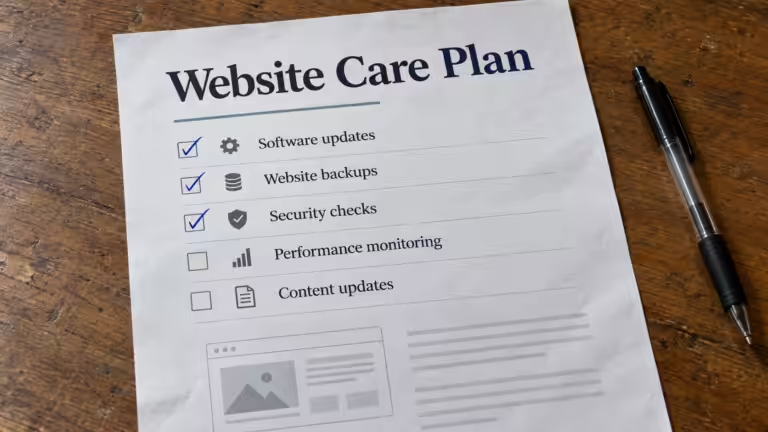


Quick Takeaways
- Most small businesses pay about $35–$100 a month for basic website maintenance (updates, backups, monitoring) and $100–$300 a month for a full plan. That works out to roughly $400–$3,600 a year.
- A website maintenance plan (often called a website care plan) turns that work into one predictable monthly fee instead of surprise repair bills.
- Maintenance protects five things: security, speed, backups, uptime, and your place in Google.
- Skipping maintenance doesn’t save the money. It pushes the cost into a bigger, more expensive fix later.
- The weekly-to-yearly checklist below works whether you do it yourself or hire someone.
A website isn’t something you build once and move on from. Like any piece of business infrastructure, it requires ongoing attention to stay secure, perform well, and continue doing its job — generating leads, building credibility, and representing the business accurately.
Most small businesses don’t discover this until something goes wrong. An update breaks a page. A contact form quietly stops submitting. Rankings that took months to build start slipping, and no one notices until a competitor shows up above them in search results.
Website maintenance isn’t primarily about fixing those problems after they happen. It’s about the ongoing work that prevents them in the first place.
Website maintenance is the ongoing process of keeping a website secure, up to date, fast, and functioning correctly. It includes software updates, security monitoring, backups, performance optimization, technical troubleshooting, and content improvements that help a website remain reliable over time.
Why Small Business Website Maintenance Gets Overlooked
Most business owners don’t think about their website until it stops working, and that’s the core problem with treating maintenance as optional. A website that launched fast and looked great on day one won’t stay that way without active attention. Plugins age. Content drifts out of date. Backups that were configured once and never checked again may not actually work when they’re needed.
None of this happens dramatically. It happens gradually, in ways that are easy to miss until the accumulated effect becomes obvious. By then, it’s usually costing the business more than ongoing maintenance ever would have.
How Much Does Website Maintenance Cost for a Small Business?
Most small businesses spend between $35 and $300 a month on website maintenance, or roughly $400 to $3,600 a year. Where you land depends on how much of the work is included, what kind of website you have, and whether you do it yourself, hire a freelancer, or pay for a plan.
Here’s what each option typically costs in 2026. Prices vary by provider, so use these as a starting point for comparing quotes.
| Option | What’s typically included | Typical cost |
|---|---|---|
| DIY website maintenance | Your own time, plus paid backup or security tools | $0–$50/month in tools, plus several hours a month |
| Freelancer, as needed | One-off fixes and updates when you ask | Usually $50–$150/hour |
| Basic maintenance plan | Software updates, backups, uptime monitoring | Roughly $35–$100/month |
| Full website maintenance packages | Updates, security, backups, performance, content updates, support | Roughly $100–$300/month |
| Fully managed website (hosting and maintenance) | Hosting, maintenance, security, SEO maintenance, and support in one plan | Roughly $100–$500+/month |
Website maintenance cost by type of website
The kind of website you have matters more than almost anything else. More moving parts means more to update, test, and fix.
| Type of website | Typical monthly cost | Why |
|---|---|---|
| Simple brochure site (5–10 pages) | $35–$100/month | Few plugins, few changes, low risk |
| Service business site with forms, booking, or a blog | $75–$200/month | Forms and integrations need testing after every update |
| Online store (WooCommerce or similar) | $150–$500+/month | Payments, inventory, and checkout can’t break |
Other yearly costs to budget for
Maintenance isn’t the only cost of keeping a website online. If these aren’t included in your plan, budget for them separately:
- Domain name: about $10–$30 a year
- Hosting: about $60–$600 a year, depending on quality
- SSL certificate: usually free with good hosting
- Premium plugin and theme licenses: often $50–$300 a year combined
- Emergency fixes: billed hourly if you don’t have a plan, and usually at the worst possible time
How much does it cost to have someone manage your website?
If you hire a freelancer as needed, you’ll usually pay by the hour. In the US, rates commonly fall between about $50 and $150 an hour (see Upwork’s hourly rate guide). That works for occasional changes, but nobody is watching the site between requests.
Agencies and maintenance companies usually charge a flat monthly fee instead, which covers the routine work and puts someone on the hook when something breaks. A fully managed website goes one step further and bundles hosting, maintenance, and support into a single plan.
What drives website maintenance costs up
- Website type and size: an online store or booking site needs more testing than a five-page brochure site.
- Plugins and integrations: every plugin is one more thing to update and test.
- Content updates: how many changes you need each month.
- Hosting: whether hosting is included or billed separately.
- Support: how fast someone responds when the site goes down.
WordPress website maintenance cost
Most small business websites run on WordPress. WordPress website maintenance cost usually sits toward the lower end of these ranges because the core tasks are well defined: core, plugin, and theme updates, backups, and security monitoring. Costs rise with custom code, WooCommerce stores, or a long list of plugins.
Affordable website maintenance vs. cheap maintenance
The average website maintenance cost matters less than what it covers. Affordable website maintenance should still include tested backups, prompt security updates, and a real person to contact. A plan that only clicks “update” once a month is cheap until an update breaks the site and there’s no backup and recovery process behind it.
Website Maintenance Plans and Packages: What’s Included
A website maintenance plan, sometimes called a website care plan or maintenance package, is a monthly service that covers the routine work on your site. Most providers sell them in three tiers:
| Plan level | What’s usually included | Typical cost |
|---|---|---|
| Basic | Software updates, daily or weekly backups, uptime monitoring | $35–$100/month |
| Standard | Everything in Basic, plus security scans, speed checks, and a few content updates each month | $100–$200/month |
| Full / managed | Everything in Standard, plus hosting, SEO health checks, priority support, and fixes when something breaks | $150–$500+/month |
For a closer look at what these plans cover and how to compare them, see what a website care plan includes and what it costs.
Maintenance plans vs. paying for fixes as you go
Calling someone only when something breaks costs less month to month, but you pay the maintenance cost later, usually at emergency rates. Website maintenance plans spread the work into predictable monthly maintenance, so problems get caught during routine tasks instead of after customers notice.
What a good maintenance plan should include
- Security monitoring and prompt security updates
- Performance optimization
- Tested, off-site backups
- Technical health checks
- Uptime monitoring
- Content updates
- SEO maintenance
- Ongoing website support and clear communication
Questions to ask any website maintenance provider
- Are backups tested, and where are they stored?
- How quickly are security updates applied?
- Is hosting included, or billed separately?
- How many content updates are included each month?
- What website support is available if the site goes down?
- Do you keep ownership of your domain, content, and accounts?
Website maintenance is best viewed as an investment in the long-term value of the website, not simply another monthly expense.
For comparison, Cindaro’s plans start at $99 a month and include building the website, hosting, security, maintenance, and support in one price. You can see exactly what each plan includes.
What Ongoing Website Maintenance Actually Protects
A comprehensive maintenance plan isn’t just a checklist of updates. It’s an ongoing responsibility across several connected areas.
Security
WordPress powers over 40% of all websites, which makes it a constant target for automated attacks. Outdated plugins and themes are one of the most common ways sites get compromised.
Related reading: How Regular Updates Prevent Website Failure
Performance
Visitors expect a site to load quickly, and search engines factor speed directly into rankings. Google’s Core Web Vitals are part of its page experience signals, which makes website performance an ongoing consideration rather than a one-time launch task. Performance isn’t set once at launch. It drifts as plugins update, images accumulate, and integrations add weight.
It’s a common gap. In our study of 502 contractor websites, 93% took longer than 3 seconds to load on a phone, and most of those sites had nobody checking their speed.
Related reading: What Core Web Vitals Actually Mean
Backups
A backup that’s never been tested isn’t a safety net. It’s an assumption.
Related reading: Why Website Backups Are More Important Than You Think
Uptime
A site that’s down, even briefly, is losing visitors, inquiries, and credibility the entire time.
Related reading: The Right Way to Handle Website Downtime
Search Visibility
Search visibility isn’t determined only by content. Technical health also matters. Broken pages, slow performance, outdated software, indexing issues, and unresolved errors can all make it harder for search engines to understand and trust a website. Regular maintenance helps identify these issues early so they can be corrected before they begin affecting rankings.
Related reading: What Is Search Visibility?
For a full breakdown of every component involved, including hosting oversight, technical health checks, and SEO maintenance, see What Website Management Actually Includes.
Website Maintenance Checklist for Small Businesses
Website maintenance is easier to budget for and easier to hand off when it’s broken into a schedule. The website maintenance checklist below works for most small business websites, whether you handle the maintenance tasks yourself or a maintenance provider handles them for you.
Weekly website maintenance tasks
- Apply security updates and software updates for WordPress core, plugins, and themes, after confirming a current backup exists. (Why this matters: how regular updates prevent website failure.)
- Confirm backups completed successfully and are stored off-site, not on the same hosting server as the website. CISA’s ransomware guide recommends keeping offline, encrypted backups for exactly this reason.
- Review uptime monitoring alerts and look into any downtime.
- Submit a test through each contact form to make sure leads are still arriving.
Monthly maintenance tasks
- Review site performance monitoring data: load time, Core Web Vitals, and mobile speed. You can run a free check with the Cindaro website speed test or Google PageSpeed Insights.
- Scan for broken links, missing images, and 404 errors.
- Check Google Search Console for indexing issues, crawl errors, and ranking changes. This is basic SEO maintenance. (See how Google indexes your website.)
- Make content updates: hours, services, pricing, team members, and photos.
- Remove plugins that are no longer used.
Quarterly maintenance tasks
- Test backup and recovery by restoring a full backup to a staging site. (Why untested backups fail.)
- Review user accounts and access. Remove old logins, turn on two-factor authentication for admins, and store credentials in a password manager, as the UK’s National Cyber Security Centre recommends.
- Review titles, meta descriptions, and internal links on your most important pages.
- Confirm your hosting plan and PHP version are still current and supported.
Yearly maintenance tasks
- Confirm your domain and SSL certificate are set to auto-renew.
- Update your website disaster recovery plan: who to contact, where backups live, and how long a restore takes. (See the right way to handle website downtime.)
- Check whether the website still reflects the business: services, messaging, and design.
Regular maintenance on a website maintenance schedule like this catches most problems while they’re small. Skip it for a few months, and the same tasks come back as bug fixes, emergency repairs, and lost leads.
Reactive vs. Proactive Website Maintenance
The difference between the two approaches shows up in cost, risk, and how much a business owner has to think about their website day to day.
| Reactive Maintenance | Proactive Maintenance |
|---|---|
| Fix problems after they occur | Prevent problems before they occur |
| Unexpected repair costs | Predictable monthly investment |
| Downtime affects customers | Continuous monitoring catches issues early |
| Emergency troubleshooting | Scheduled, routine maintenance |
| Rankings may decline unnoticed | Technical issues are addressed before they affect rankings |
What Happens Without It
Skipping maintenance doesn’t mean nothing happens. It means the site keeps working until it quietly doesn’t. Security vulnerabilities go unpatched. Performance degrades a little more with every update and every new integration. Broken links and outdated content accumulate without anyone noticing because no one is actively checking.
Related reading: Why Websites Break Without Ongoing Management
Common Website Maintenance Problems We Encounter
One pattern appears again and again when businesses ask us to take over an existing website: the site rarely fails all at once.
Instead, it accumulates dozens of small issues over time. A plugin hasn’t been updated in months. Backups exist but have never been tested. A contact form stopped sending submissions weeks ago. Images have grown without optimization. Performance has gradually declined with every new feature that was added.
None of these issues are usually catastrophic on their own. Together, however, they create a website that’s slower, less secure, harder to maintain, and more likely to experience unexpected downtime.
By the time someone notices a serious problem, they’re often dealing with several underlying issues rather than one isolated fix. That’s why consistent maintenance tends to be less disruptive, and less expensive, than reacting only after something breaks.
DIY vs. Professional Website Maintenance
Some business owners choose to maintain their own websites, and for those with the time and technical background, that can work. But it also means owning every update, every backup check, and every troubleshooting session personally, on top of running the business.
Related reading: The Hidden Costs of DIY Website Maintenance
It’s one reason more businesses are moving toward managed website services: replacing unpredictable repair costs with consistent ongoing management.
Frequently Asked Questions
How often should small business website maintenance be done?
Website maintenance should be continuous rather than occasional. A practical schedule is security updates and backup checks weekly, performance and content reviews monthly, and backup-restore tests quarterly. See the website maintenance checklist above.
What does website maintenance include?
A typical maintenance plan includes WordPress updates, plugin and theme updates, security monitoring, backups, uptime monitoring, performance optimization, technical troubleshooting, content updates, and ongoing SEO health checks.
How much does website maintenance cost?
Most small businesses pay $35–$100 a month for basic maintenance (updates, backups, monitoring) and $100–$300 a month for a full maintenance plan. Online stores and sites with lots of plugins cost more. DIY maintenance costs less in cash but more in time.
How much does website maintenance cost per year?
Plan on roughly $400–$3,600 a year for maintenance itself, plus your domain (about $10–$30) and hosting (about $60–$600) if they aren’t included.
How much does it cost to have someone manage my website?
Freelancers usually charge by the hour, commonly $50–$150 in the US. Maintenance companies charge a flat monthly fee, typically $35–$300, and fully managed plans that include hosting and support usually start around $100 a month.
Do websites need monthly maintenance?
Yes. Plugins, themes, and WordPress itself release updates every few weeks, and most security problems come from software that wasn’t updated. At minimum, someone should be applying updates, checking backups, and watching for downtime every month.
What is included in website maintenance packages?
Most website maintenance packages include software updates, security monitoring, backups, uptime monitoring, and performance checks. Fuller packages add content updates, SEO maintenance, bug fixes, and direct support.
Is website maintenance included with hosting?
Usually not. Most hosting keeps the server running but doesn’t update your plugins, test your backups, or fix broken pages. Some managed providers bundle hosting and maintenance into one plan, so check exactly what’s covered.
Is website maintenance worth paying for?
For many small businesses, professional maintenance costs significantly less than recovering from a hacked website, prolonged downtime, or lost search visibility. It also lets business owners spend their time running the business instead of troubleshooting technical issues.
Can I maintain my own website?
Yes. Many business owners do. However, successful DIY maintenance requires consistent attention, technical knowledge, reliable backups, and enough time to respond quickly when problems occur.
Every Cindaro plan includes managed hosting, security, website maintenance, and ongoing support from day one, not as optional add-ons. See how it works, compare Cindaro to DIY builders and agencies, or view pricing to see what’s included.